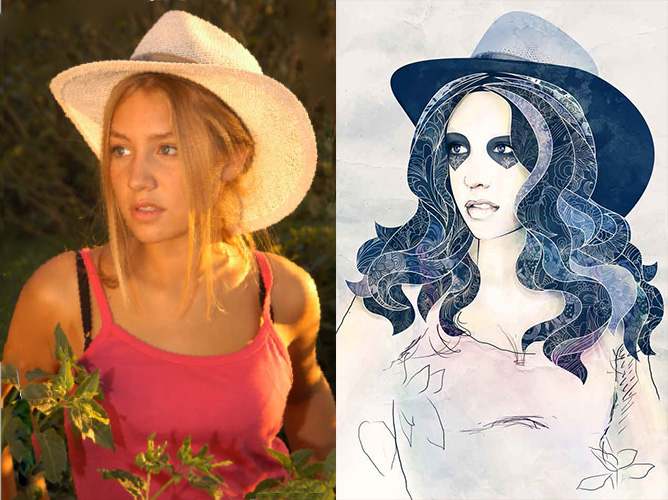
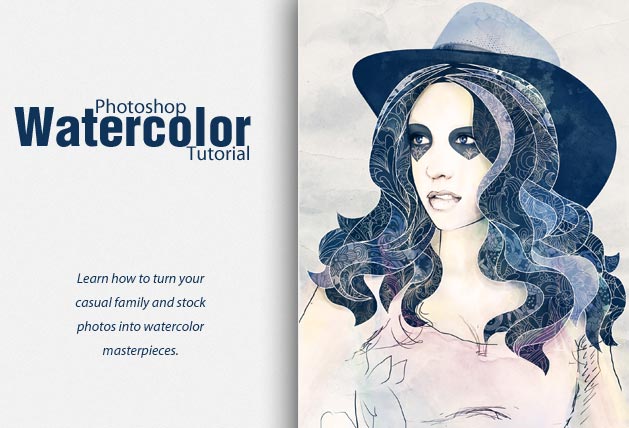
Như tiêu đề đã giới thiệu thì bài hướng dẫn này sẽ giúp bạn thay đổi những tấm ảnh gia đình hay ảnh thiết kế trở nên nghệ thuật hơn với thiết kế màu nước, phù hợp để bạn sử dụng làm ảnh bìa album, ảnh bìa facebook, hoặc cho một tấm thiệp đám cưới đặc biệt… hãy sáng tạo với màu nước nào!
Nếu bạn vẫn thường quen với việc vẽ những hình dạng đơn giản với Path Tool hay dùng cọ ở một mức độ cơ bản thì việc này sẽ không có bất cứ khó khăn nào với bạn. Quy trình tiến hành sẽ không quá phức tạp như ảnh sản phẩm chỉ cần chú ý vào một số chi tiết quan trọng là bạn có thể làm tốt.
Độ khó: Người mới, Nghiệp dư
Thời gian hoàn thành: 2 tiếng
Công cụ sử dụng: Photoshop CS3
Nguồn tham khảo
- Floral Brushes Pack 29 viết bởi Designious
- Stock image viết bởi varyamo
- vintage paper texture viết bởi DesignTNT
- watercolor texture viết bởi DesignTNT
Ảnh Kết Quả
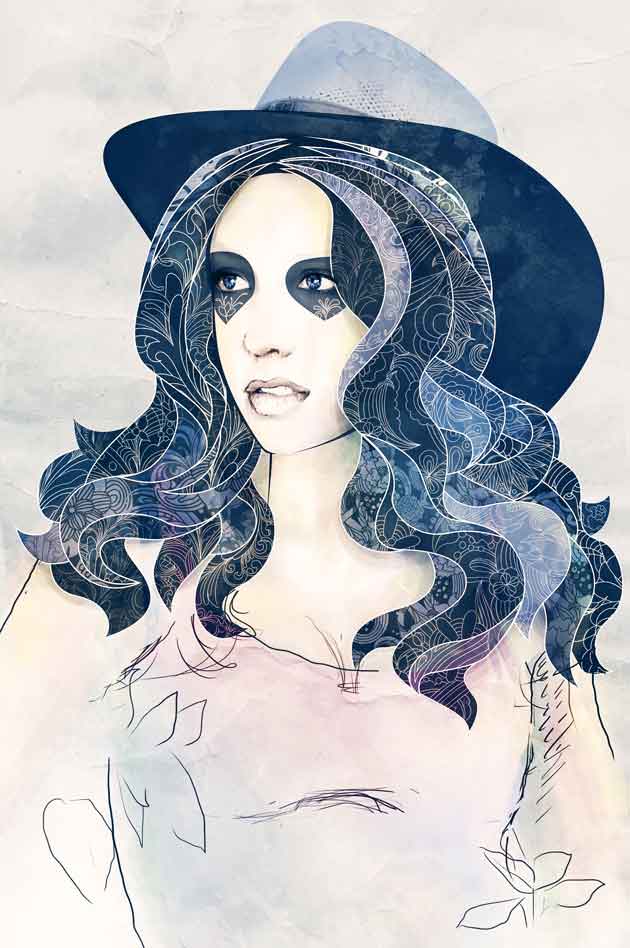
Khá tuyệt nhỉ? Hãy bắt tay vào làm nào!
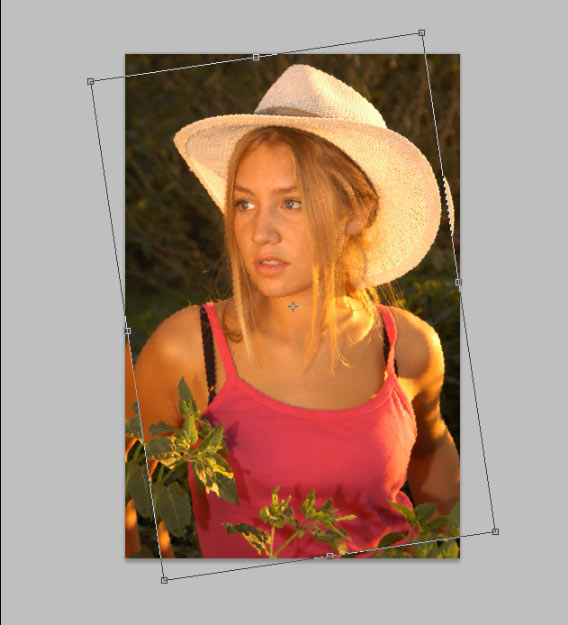
Đầu tiên bạn cần phải bắt đầu với ý tưởng thiết kế: chúng ta sẽ tạo một bức ảnh sơn dầu với cô gái đang đội nón. Nghĩa là chúng ta cần phải điều chỉnh tư thế tạo dáng ở trạng thái thư giãn, hơi ngả về phía sau.
Tuy nhiên tư thế hiện tại ( hơi nghiêng về phía trước ) không mang cảm giác thư giãn mà như sắp thực hiện một hành động. Giải pháp cho vấn đề này khá đơn giản là nghiêng bức ảnh về phía bên trái.
Bước 1
Vào phần File > Open (CTRL+O), chọn ảnh và OK. Nhập Ctrl + J để lấy layer làm việc.
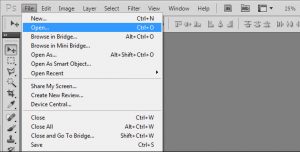
Bước 2
Vài Edit > Free Transform (CTRL+T), xoay ảnh và Enter.
Đăng nhập hoặc đăng kí để xem thêm phần còn lại
Bước 32
Thêm một texture nữa vào phần background như khi thêm texture màu nước ở bước trước.
Sau đó chọn Layer ở tầng cao nhất và vào Layer > New Adjustment Layer > Gradient Map, Brightness/Contrast and Hue/Saturation chỉnh như sau:
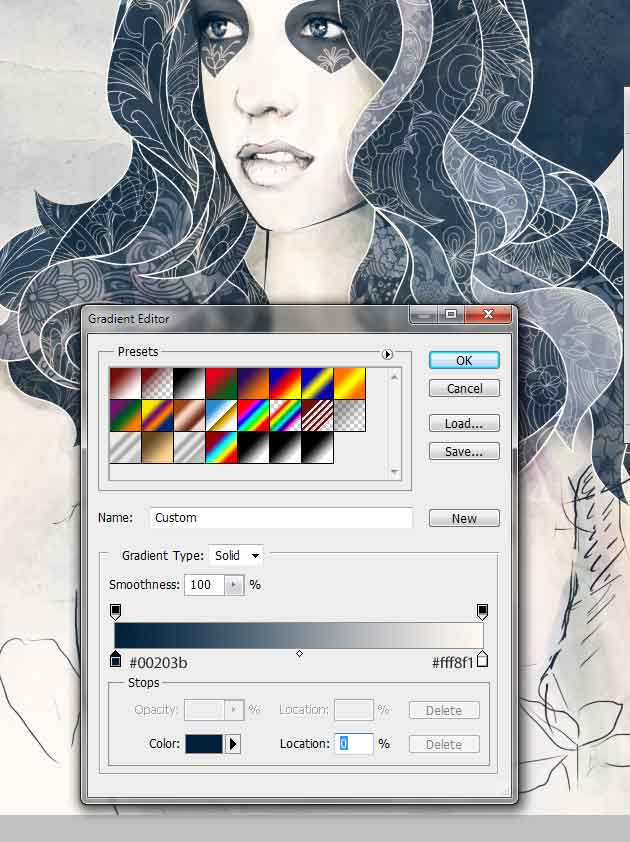
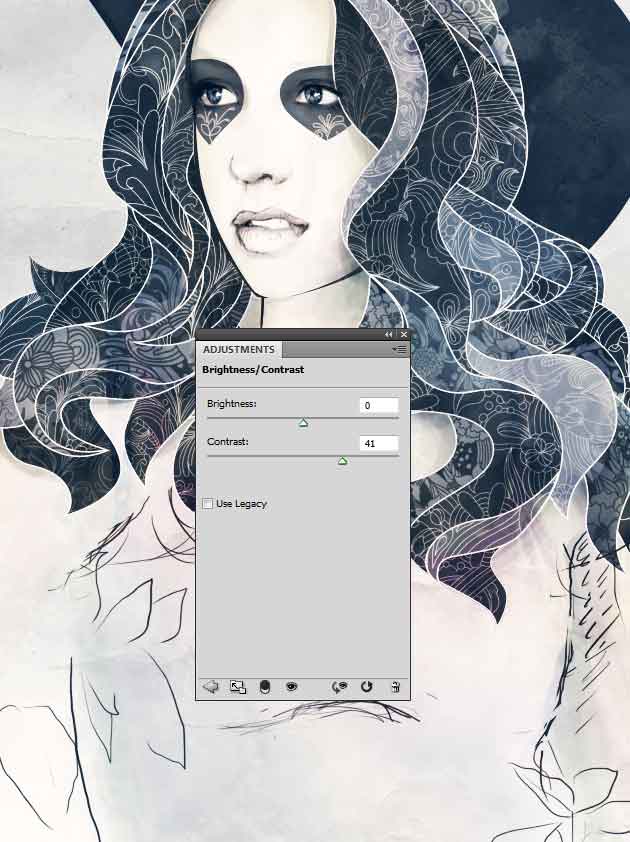
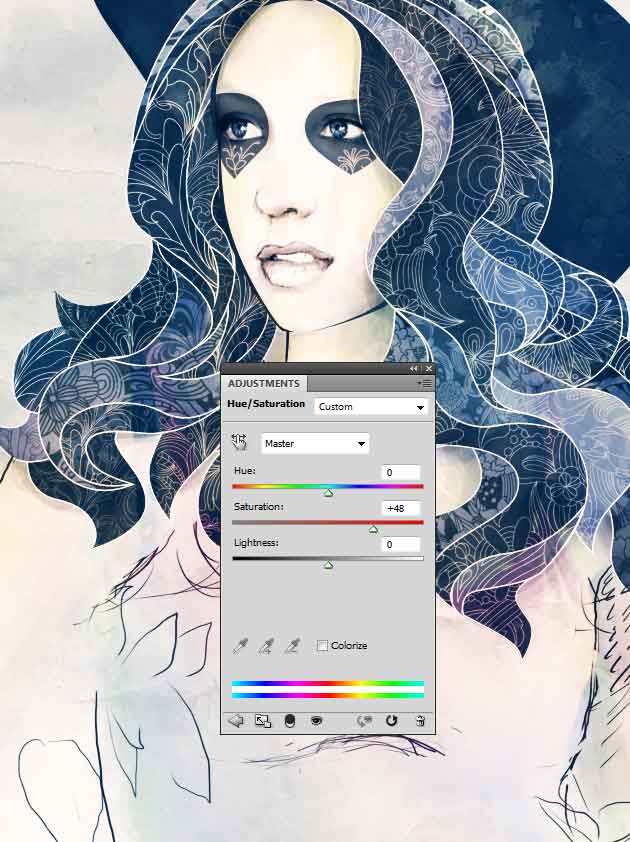
Bước 33
Chọn Layer đã chỉnh Hue/Saturation, bấm tổ hợp phím Ctrl + Alt + Shift + E, sau đó chọn Filter > Other > High Pass. Chỉnh còn 1px, OK và chỉnh Blending mode của layer thành Overlay
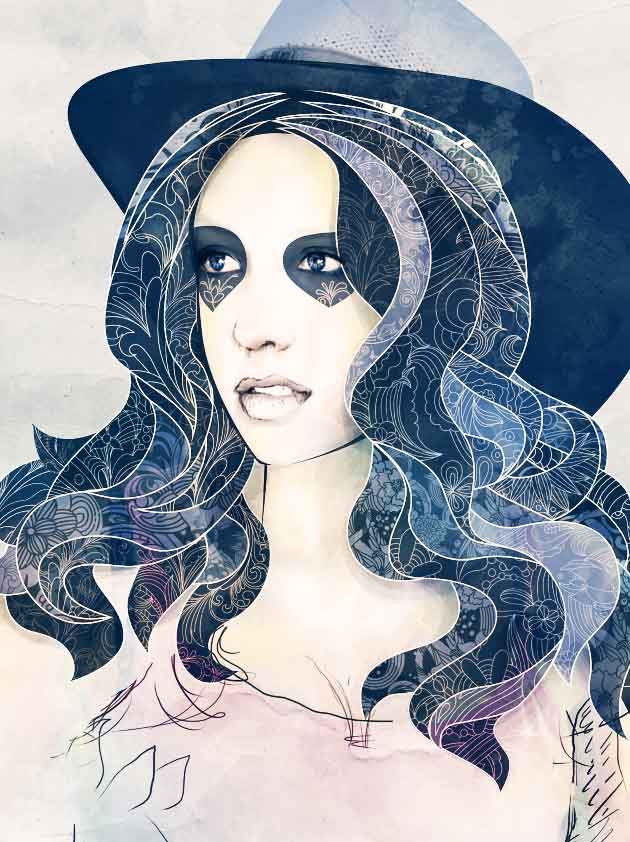
và Xong !
Kết quả trước và khi đã hoàn thành